ProductivityExample data
Home Dashboard
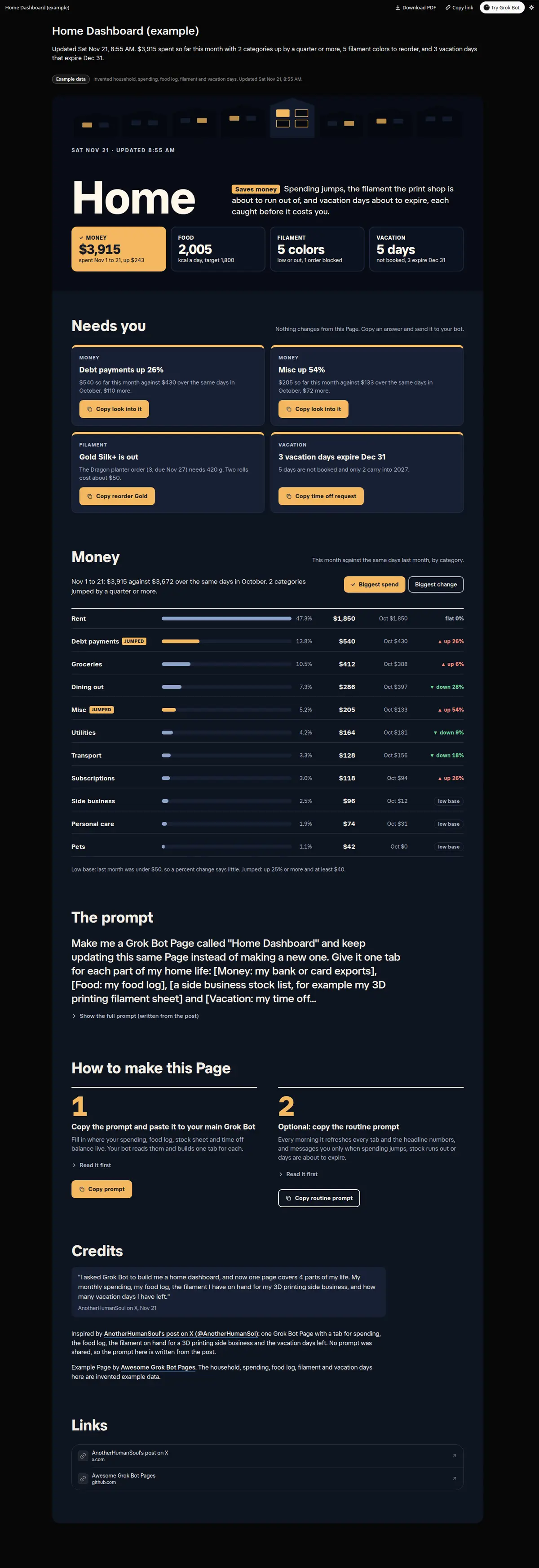
Your Grok Bot puts your spending jumps, the stock your side business is about to run out of and the vacation days you are about to lose on one Page, so you catch each one before it costs you. One headline number per tab, a Money tab with this month against last by category and the jumps called out, a Food tab with 7 days of calories against target, a Stock tab with low and out items, the orders that need them and a priced reorder list, a Vacation tab with days left, days that expire and a calendar of booked days, and a Needs you list with an answer to copy for each item.
Prompt
Paste into Grok Bot
Make me a Grok Bot Page called "Home Dashboard" and keep updating this same Page instead of making a new one. Give it one tab for each part of my home life: [Money: my bank or card exports], [Food: my food log], [a side business stock list, for example my 3D printing filament sheet] and [Vacation: my time off balance and booked days]. Money: this month against last month by category, with the share of spending and the change, and call out any category that jumped. Food: calories for the last 7 days against my target, protein and my weight against my goal. Stock: every item on hand, what is low or out, the open orders that need it and a reorder list with prices. Vacation: days earned, used, booked and left, the days that expire at year end and a calendar of booked days. At the top show one headline number per tab, and put anything that needs me in a Needs you list with an answer I can copy. Use only my own data, and leave a number out rather than guess.
Routine prompt (optional)
Keeps the Page updated
Create a routine for my "Home Dashboard" Page: every morning at 08:00, pull my latest spending, food log, stock sheet and time off balance, update every tab and the headline numbers on the same Page, and mark what changed since yesterday. Message me one line only when a spending category jumps, a stock item runs out or vacation days are about to expire. Otherwise change only the Page.
How to use it
- Copy the prompt and paste it into a chat with Grok Bot.
- Swap in your own bots, accounts or data sources where the prompt asks for them.
- If the prompt does not create a refresh routine, ask Grok Bot for one.
- To share your version, make a copy with mock data and make that copy public. Then get it listed.