ProductivityExample data
Decision Timeline
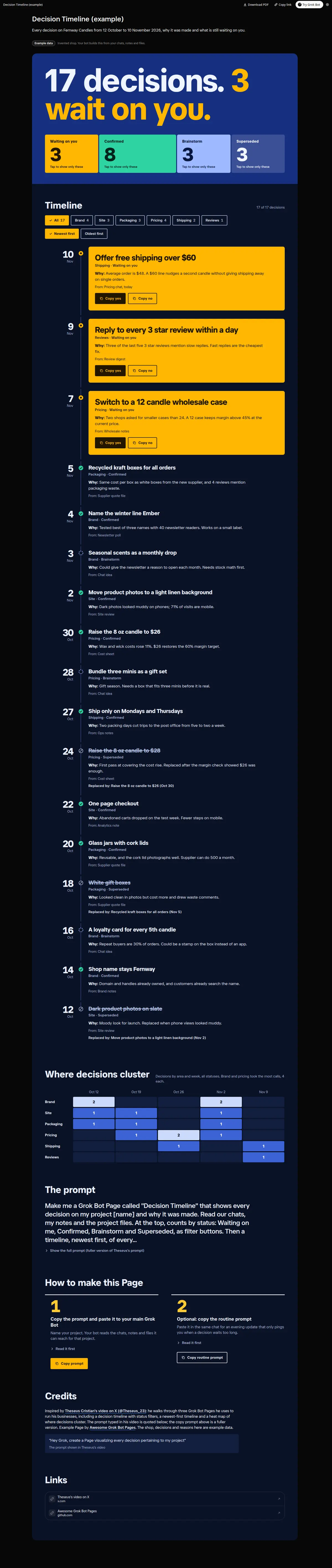
Every project decision and why it was made: status counts as filters (Waiting on you, Confirmed, Brainstorm, Superseded), a newest-first timeline with reasons and what replaced old calls, Copy yes and Copy no on each decision that waits on you, and an area by week heat map.
Prompt
Paste into Grok Bot
Make me a Grok Bot Page called "Decision Timeline" that shows every decision on my project [name] and why it was made. Read our chats, my notes and the project files. At the top, counts by status: Waiting on me, Confirmed, Brainstorm and Superseded, as filter buttons. Then a timeline, newest first, of every decision: the date, the decision in one line, the area (for example design, site, packaging, pricing), the reason, and who or what it came from. A superseded decision says what replaced it. Every decision waiting on me gets Copy yes and Copy no buttons with a short reply I can paste back to you. Then a heat map of areas by week so I can see where decisions cluster. Add a newest or oldest sort. Use only real decisions from my project; if the reason is not written down, say "reason not recorded".
Routine prompt (optional)
Keeps the Page updated
Create a routine for my "Decision Timeline" Page: every evening at 18:00, add the decisions we made today to the same Page with their reasons, mark replaced ones as Superseded, and message me only if something is waiting on me for more than 2 days.
How to use it
- Copy the prompt and paste it into a chat with Grok Bot.
- Swap in your own bots, accounts or data sources where the prompt asks for them.
- If the prompt does not create a refresh routine, ask Grok Bot for one.
- To share your version, make a copy with mock data and make that copy public. Then get it listed.