ProductivityExample data
Mission Board
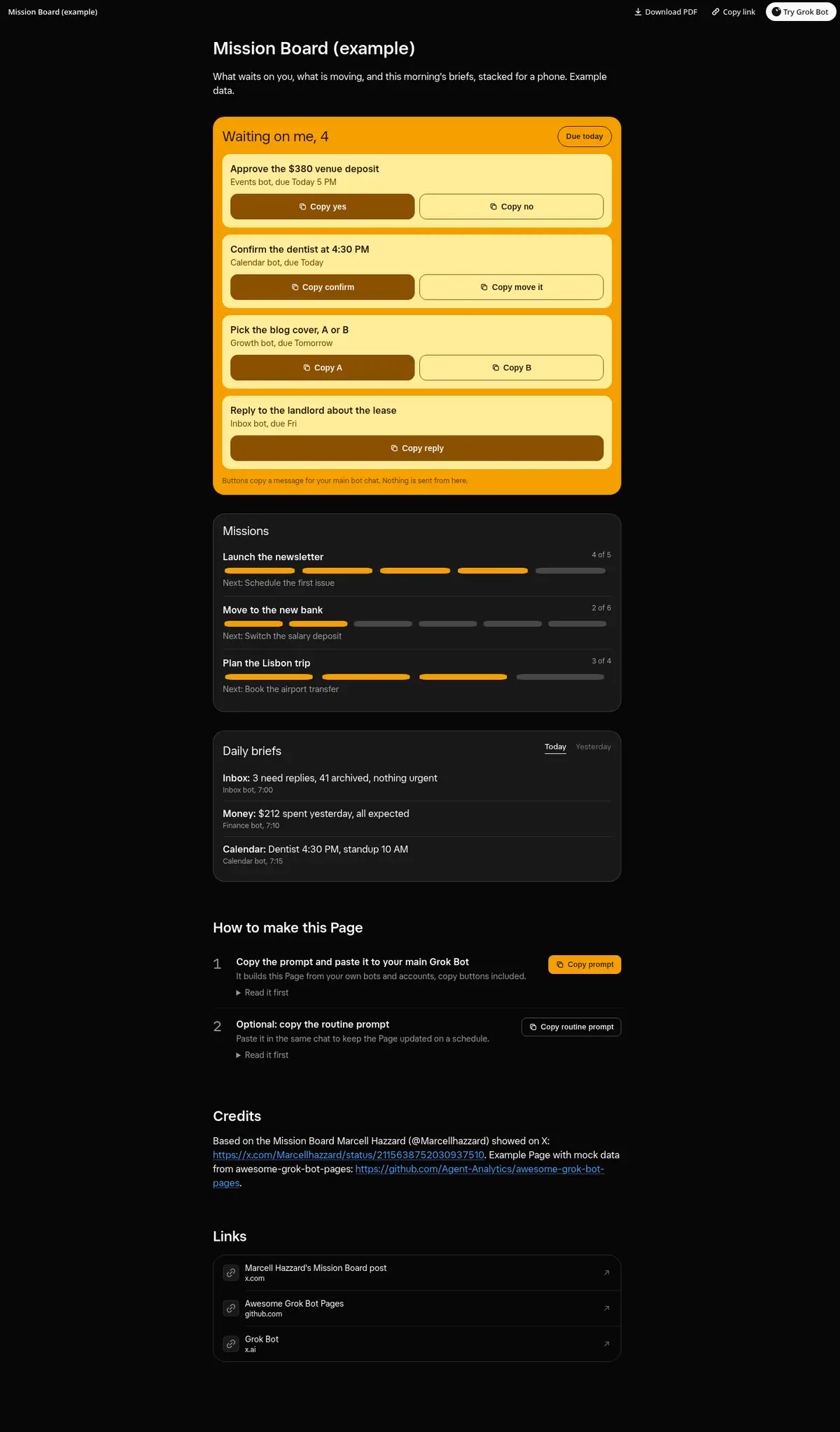
A phone-friendly board: what waits on you at the top with big thumb-sized copy buttons and a Due today switch, missions with step progress in the middle and the daily briefs at the bottom.
Prompt
Prompt
Build me a narrow, phone-friendly Grok Bot Page called "Mission Board" that stacks like phone widgets. At the top, a "Waiting on me" list with a count, so approvals don't get buried: each item shows what to do, which bot asks and when it is due, with today's items marked and a "Due today" switch. Each item gets big, thumb-sized copy buttons (Copy yes and Copy no, or one short ready reply) that copy a message I paste into this chat and show Copied after a tap; if the clipboard is blocked, show the text to select. In the middle, my active missions or projects, each with how far along it is in steps and one line on what is next. At the bottom, the daily briefs my bots send me, such as inbox, money and calendar, with a switch between today and yesterday. Collect the list from my bots, so it fills up on its own as they ask for things. Use only real data and show "unknown" instead of guessing.
Routine prompt (optional)
Keeps the Page updated
Create a routine that refreshes my "Mission Board" Page every morning at 7 AM and whenever a bot asks me for something. Each run, collect what my bots wait on me for, update missions and briefs with the same layout and copy buttons, and drop items I already answered. Message me only if something is due today.
How to use it
- Copy the prompt and paste it into a chat with Grok Bot.
- Swap in your own bots, accounts or data sources where the prompt asks for them.
- If the prompt does not create a refresh routine, ask Grok Bot for one.
- To share your version, make a copy with mock data and make that copy public. Then get it listed.