ProductivityExample data
Workout Tracker
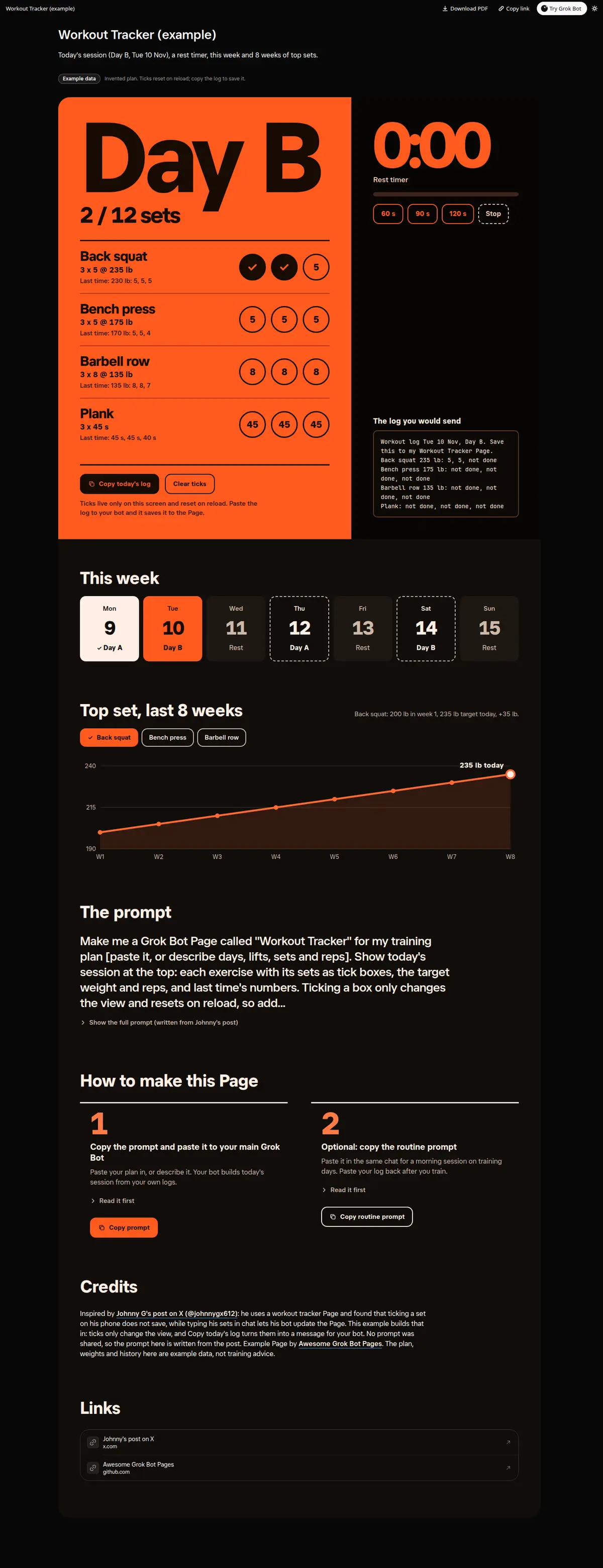
Today's training session with tick-box sets, target and last-time numbers, a rest timer and a Copy today's log button that turns the ticks into a message for your bot (ticks reset on reload), plus a week strip and an 8-week top-set chart per lift.
Prompt
Paste into Grok Bot
Make me a Grok Bot Page called "Workout Tracker" for my training plan [paste it, or describe days, lifts, sets and reps]. Show today's session at the top: each exercise with its sets as tick boxes, the target weight and reps, and last time's numbers. Ticking a box only changes the view and resets on reload, so add a "Copy today's log" button that copies what I ticked as a message I paste back to you, and you then save it into the Page. Add a rest timer with 60, 90 and 120 second buttons. Then this week as a strip of days (done, today, planned, rest), and a chart of my top set on each main lift over the last 8 weeks. Use only my real logs; anything I have not logged stays empty.
Routine prompt (optional)
Keeps the Page updated
Create a routine for my "Workout Tracker" Page: every morning at 06:30 on training days, update the same Page with today's session and target weights from my last logs, and send me one line with the first lift. When I paste a log, save it to the Page.
How to use it
- Copy the prompt and paste it into a chat with Grok Bot.
- Swap in your own bots, accounts or data sources where the prompt asks for them.
- If the prompt does not create a refresh routine, ask Grok Bot for one.
- To share your version, make a copy with mock data and make that copy public. Then get it listed.