ProductivityExample data
Morning brief
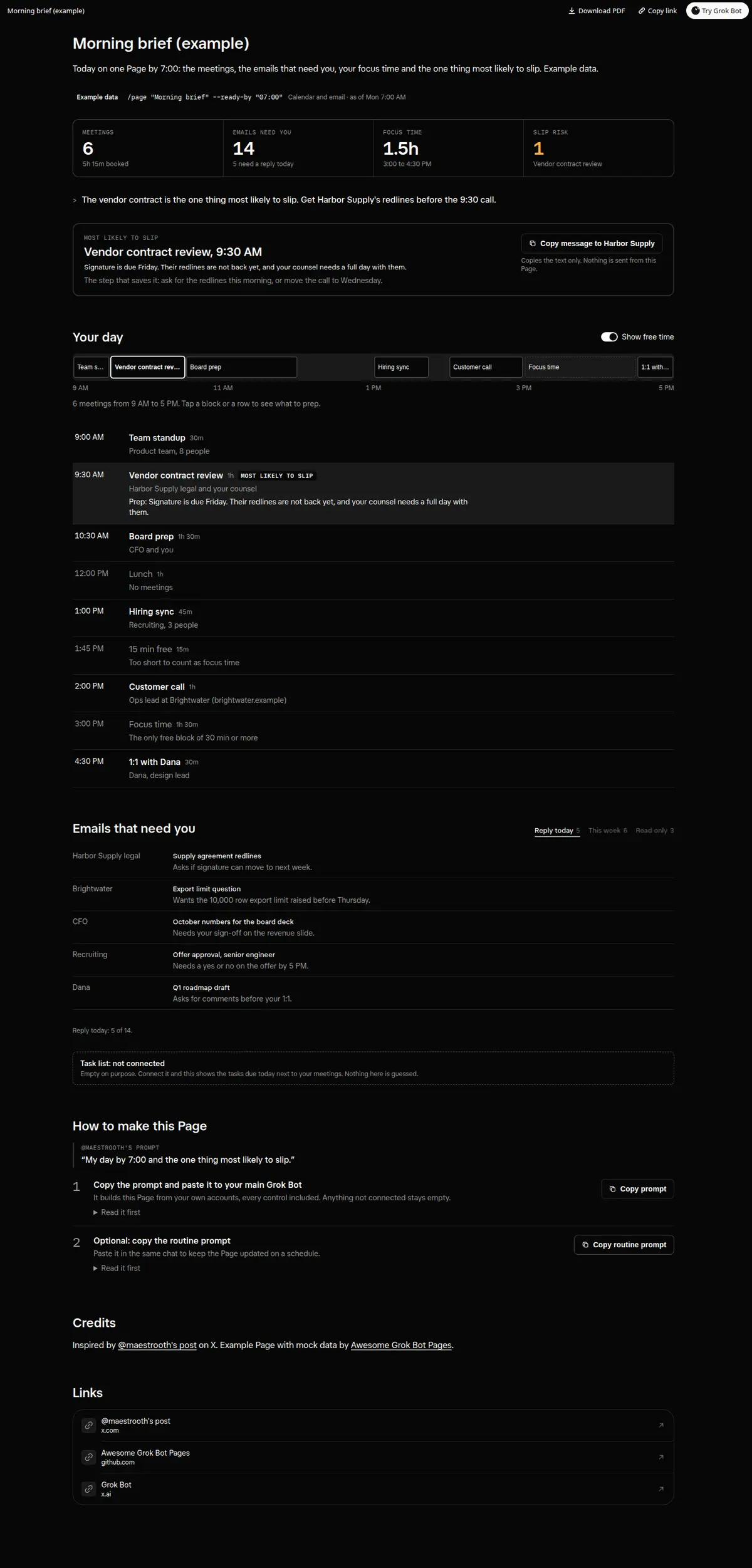
Your day ready by 7:00: meetings, the emails that need you, your focus time and the one thing most likely to slip.
Prompt
Prompt
Build me a wide Grok Bot Page called "Morning brief" from my calendar and email. At the top, four numbers: meetings today, emails that need me, focus time (free blocks of 30 minutes or more) and how many things are at risk of slipping. Then call out the one thing most likely to slip today, why, the one step that saves it, and a working copy button with a ready message for that step. Then my day as a strip from first meeting to last and an agenda below it: each meeting with time, who is in it and what to prep, which I can open by tapping it, with a Show free time toggle for lunch, gaps and focus blocks. Then the emails that need me, grouped as Reply today, This week and Read only with counts, each with the sender, subject and the ask in one line. Every control must really work on the Page; no buttons that do nothing. Anything not connected shows as empty instead of a guess. Then create a routine that rebuilds the Page every weekday so it is ready by 7:00 AM.
How to use it
- Copy the prompt and paste it into a chat with Grok Bot.
- Swap in your own bots, accounts or data sources where the prompt asks for them.
- If the prompt does not create a refresh routine, ask Grok Bot for one.
- To share your version, make a copy with mock data and make that copy public. Then get it listed.