ProductivityExample data
F2L Cases
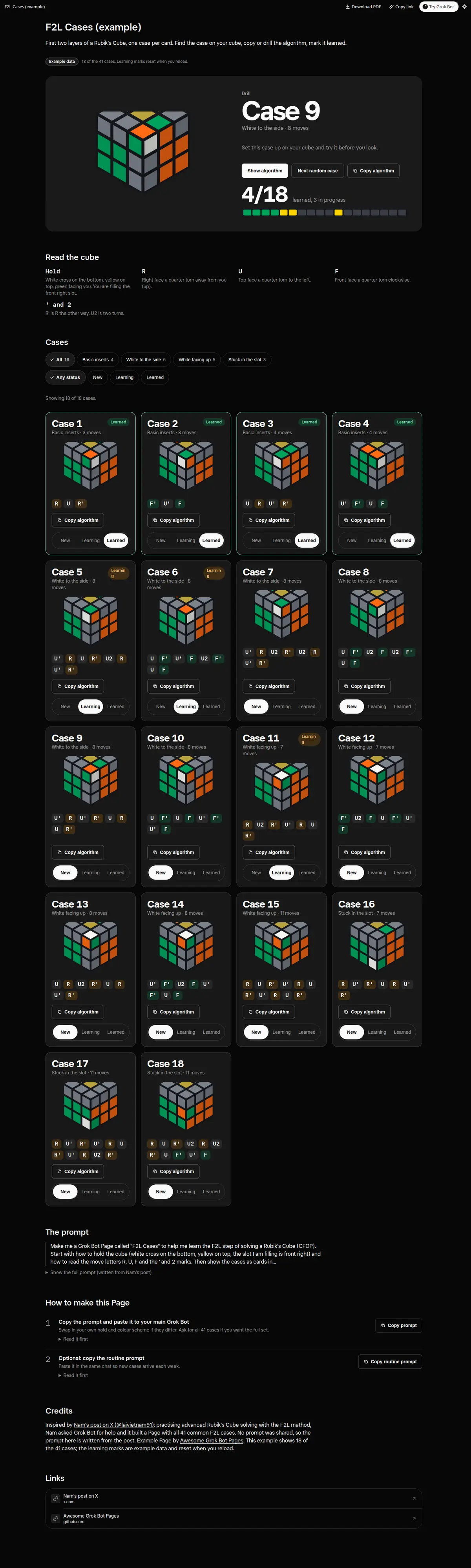
Rubik's Cube F2L cases as cards: a cube diagram per case with only the pair in colour, one checked algorithm with move count and a Copy button, group filters, learning and learned marks, and a random case to drill.
Prompt
Paste into Grok Bot
Make me a Grok Bot Page called "F2L Cases" to help me learn the F2L step of solving a Rubik's Cube (CFOP). Start with how to hold the cube (white cross on the bottom, yellow on top, the slot I am filling is front right) and how to read the move letters R, U, F and the ' and 2 marks. Then show the cases as cards in groups: the 4 basic inserts first, then corner on top with white to the side, corner on top with white facing up, and pieces stuck in the slot. Each card gets a cube diagram of the case with only the corner and edge I am pairing in colour, one standard algorithm, the move count and a Copy button for the algorithm. Let me filter by group, mark cases as learning or learned (just for this visit), and pick a random case to drill. Check every algorithm actually solves the case it is drawn with.
Routine prompt (optional)
Keeps the Page updated
Create a routine for my "F2L Cases" Page: every Sunday at 10:00, ask me which cases I learned this week, move them to Learned on the Page, add the next 4 cases I have not seen yet, and send me one line with the 4 new algorithms.
How to use it
- Copy the prompt and paste it into a chat with Grok Bot.
- Swap in your own bots, accounts or data sources where the prompt asks for them.
- If the prompt does not create a refresh routine, ask Grok Bot for one.
- To share your version, make a copy with mock data and make that copy public. Then get it listed.