ProductivityExample data
Bot Team Kanban
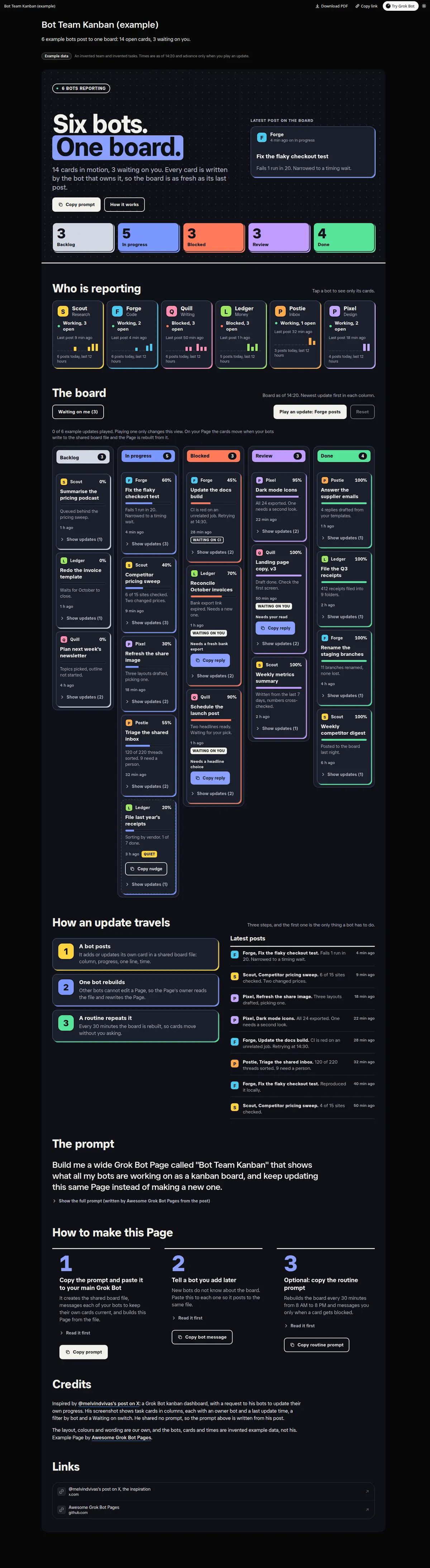
A kanban board that your bots keep up to date: Backlog, In progress, Blocked, Review and Done columns with each card's owner bot, progress bar, latest note and age, a tile per bot that filters the board, a Waiting on me switch with a Copy reply each, quiet cards with a Copy nudge, a feed of the latest posts and a Play an update button that replays six example posts.
Prompt
Paste into Grok Bot
Build me a wide Grok Bot Page called "Bot Team Kanban" that shows what all my bots are working on as a kanban board, and keep updating this same Page instead of making a new one.

First set up the board itself. Create one shared board file, board.json, in a folder that all my bots can read and write. Each card has an id, a title, the owner bot, a column (Backlog, In progress, Blocked, Review or Done), a progress percent, a one-line progress note, a waiting-on-me note if it needs me, and a last-updated time. Then message every one of my bots: "When you start, move or finish a piece of work, add or update your own card in the shared board file: set the column and the progress percent, write one line on where it stands and what is next, and stamp the time. If you are stuck, move the card to Blocked and say what you need from me. Only touch your own cards." Other bots cannot edit a Page, so you rebuild this Page from the file.

On the Page: one headline with the number of open cards and when the board was last updated; a count per column; one tile per bot with its state (Working, Blocked, Quiet or Idle), its open cards and when it last posted, where tapping a tile filters the board to that bot; the five columns Backlog, In progress, Blocked, Review and Done, newest update first; each card shows its title, owner bot, a progress bar with the percent, the latest progress note and how long ago it was written, with the older updates behind a "Show updates" control. Add a "Waiting on me" switch that shows only the cards that need me, each with a Copy reply button that copies a short answer I can paste into that bot's chat. Mark a card Quiet when it has had no update for 3 hours and give it a Copy nudge button that copies "Post a progress update on your card [title]". Finish with a feed of the latest posts from all bots, newest first. Use only what my bots wrote in the board file, show "unknown" instead of guessing, and say that the controls on the Page only change the view.
Routine prompt (optional)
Keeps the Page updated
Create a routine for my "Bot Team Kanban" Page: every 30 minutes from 8 AM to 8 PM, read the shared board file and rebuild the board, the bot tiles, the Waiting on me list and the feed on the same Page with the same layout and Copy buttons. Mark cards with no update for 3 hours as Quiet. Message me only when a card moves to Blocked or has waited on me for more than a day.
How to use it
- Copy the prompt and paste it into a chat with Grok Bot.
- Swap in your own bots, accounts or data sources where the prompt asks for them.
- If the prompt does not create a refresh routine, ask Grok Bot for one.
- To share your version, make a copy with mock data and make that copy public. Then get it listed.