Bot ManagementExample data
Jarvis HUD
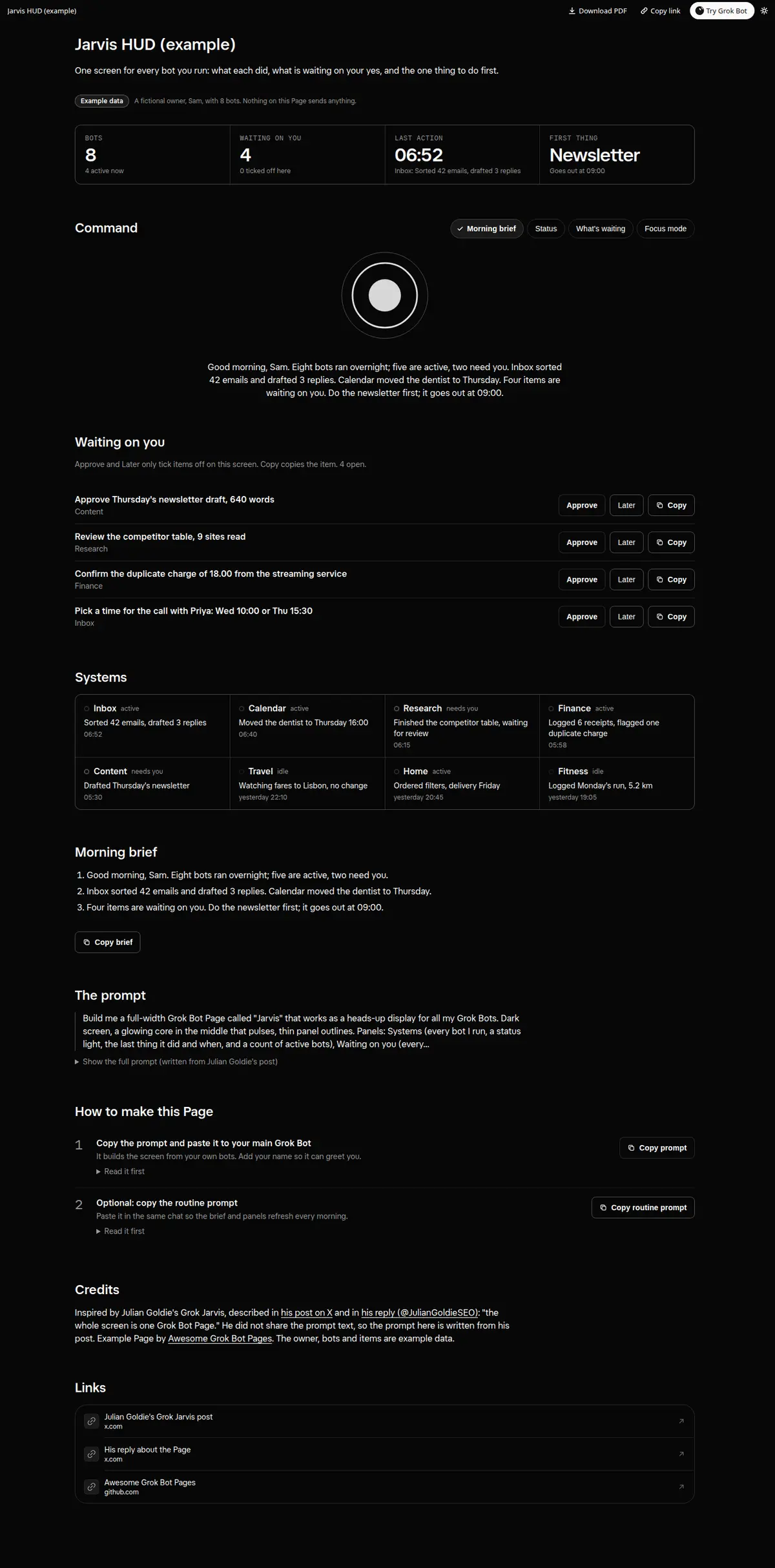
A heads-up display for every bot you run: a Systems panel with status lights and last action, a Waiting on you queue with Approve, Later and Copy on each item, a morning brief with the one thing to do first, and a Focus mode.
Prompt
Paste into Grok Bot
Build me a full-width Grok Bot Page called "Jarvis" that works as a heads-up display for all my Grok Bots. Dark screen, a glowing core in the middle that pulses, thin panel outlines. Panels: Systems (every bot I run, a status light, the last thing it did and when, and a count of active bots), Waiting on you (every decision that needs my yes, each with Approve and Later buttons that only tick it off on this screen and send nothing, plus a Copy button that copies the item), Morning brief (what every bot did since yesterday, what is waiting on me, and the one thing to do first), and Quick commands (Morning brief, Status, What's waiting, Focus mode). Focus mode dims the panels and stops the motion. Respect reduced motion. Keep the personality calm, short, precise, a little dry, and call me by my name. Every control must really work on the Page; nothing is sent from it.
How to use it
- Copy the prompt and paste it into a chat with Grok Bot.
- Swap in your own bots, accounts or data sources where the prompt asks for them.
- If the prompt does not create a refresh routine, ask Grok Bot for one.
- To share your version, make a copy with mock data and make that copy public. Then get it listed.