Bot ManagementExample data
Routine Run Board
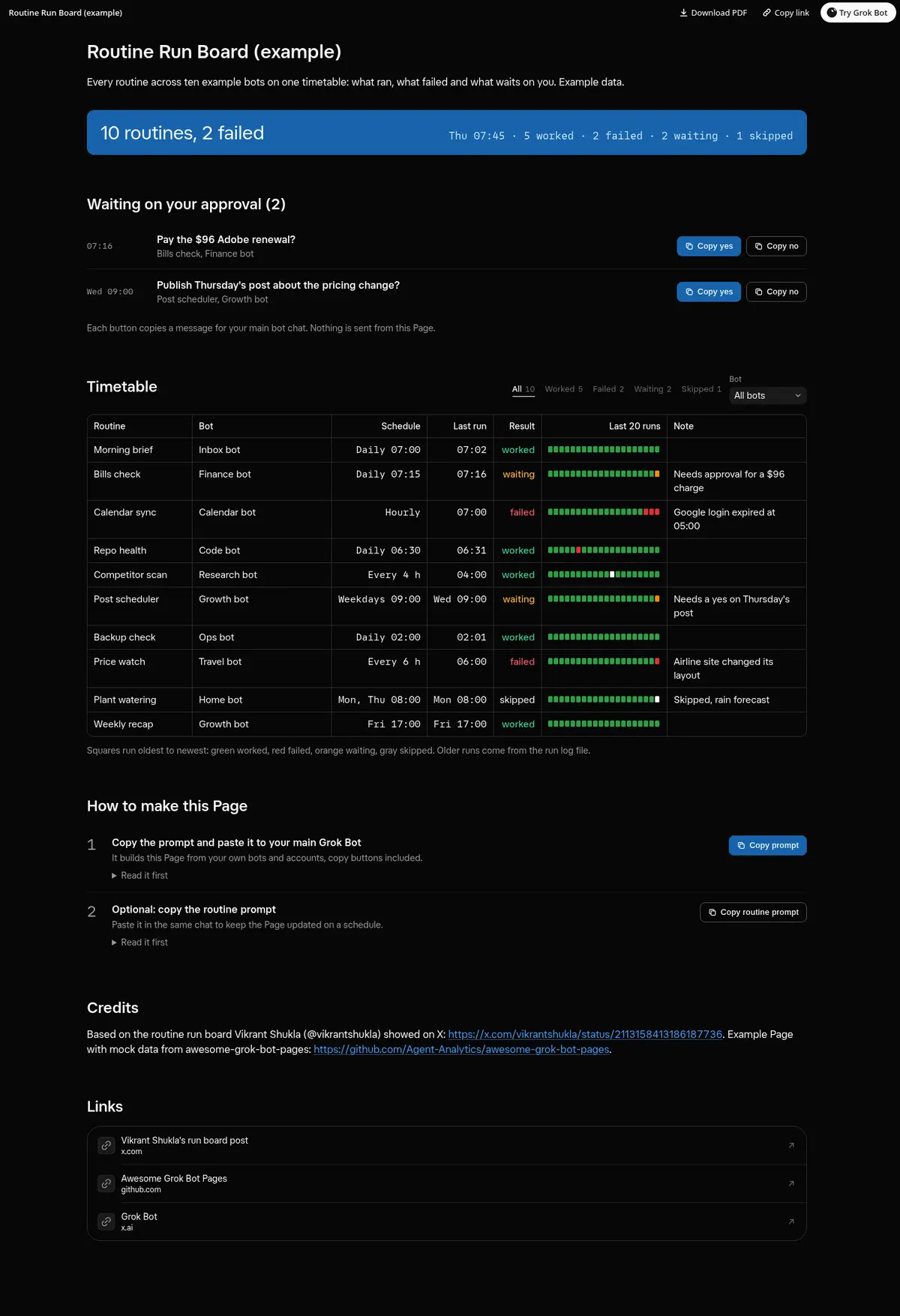
Every routine on one timetable: schedule, last run, result and a strip of its last 20 runs, approvals with copy buttons, and filters by result and bot.
Prompt
Prompt
Build me a wide Grok Bot Page called "Routine Run Board" that reads like a railway timetable for every routine across all my bots. On top, one line with counts: routines, worked, failed and waiting on me. Then a "Waiting on your approval" list with what each routine needs from me, the bot and when it asked, and working copy buttons (Copy yes and Copy no, or one short ready reply) that copy a message I paste into this chat and show Copied after a click; if the clipboard is blocked, show the text to select. Then the timetable: routine, bot, schedule, last run, result (worked, failed, waiting or skipped), a strip of its last 20 runs as small squares, and a note such as why it failed, with a filter by result with counts and a filter by bot. The app keeps the 20 most recent run records per routine, so also append each morning's results to a run log file and read it for anything older. Use only real data and show "unknown" instead of guessing.
Routine prompt (optional)
Keeps the Page updated
Create a routine that refreshes my "Routine Run Board" Page every morning at 7:30, before I start. Each run, read every routine's recent runs, append them to the run log file, rebuild the timetable and the approval list with the same layout and copy buttons, and drop approvals I already gave. Message me only if a routine failed twice in a row.
How to use it
- Copy the prompt and paste it into a chat with Grok Bot.
- Swap in your own bots, accounts or data sources where the prompt asks for them.
- If the prompt does not create a refresh routine, ask Grok Bot for one.
- To share your version, make a copy with mock data and make that copy public. Then get it listed.