Bot ManagementExample data
Bot Fleet Ops
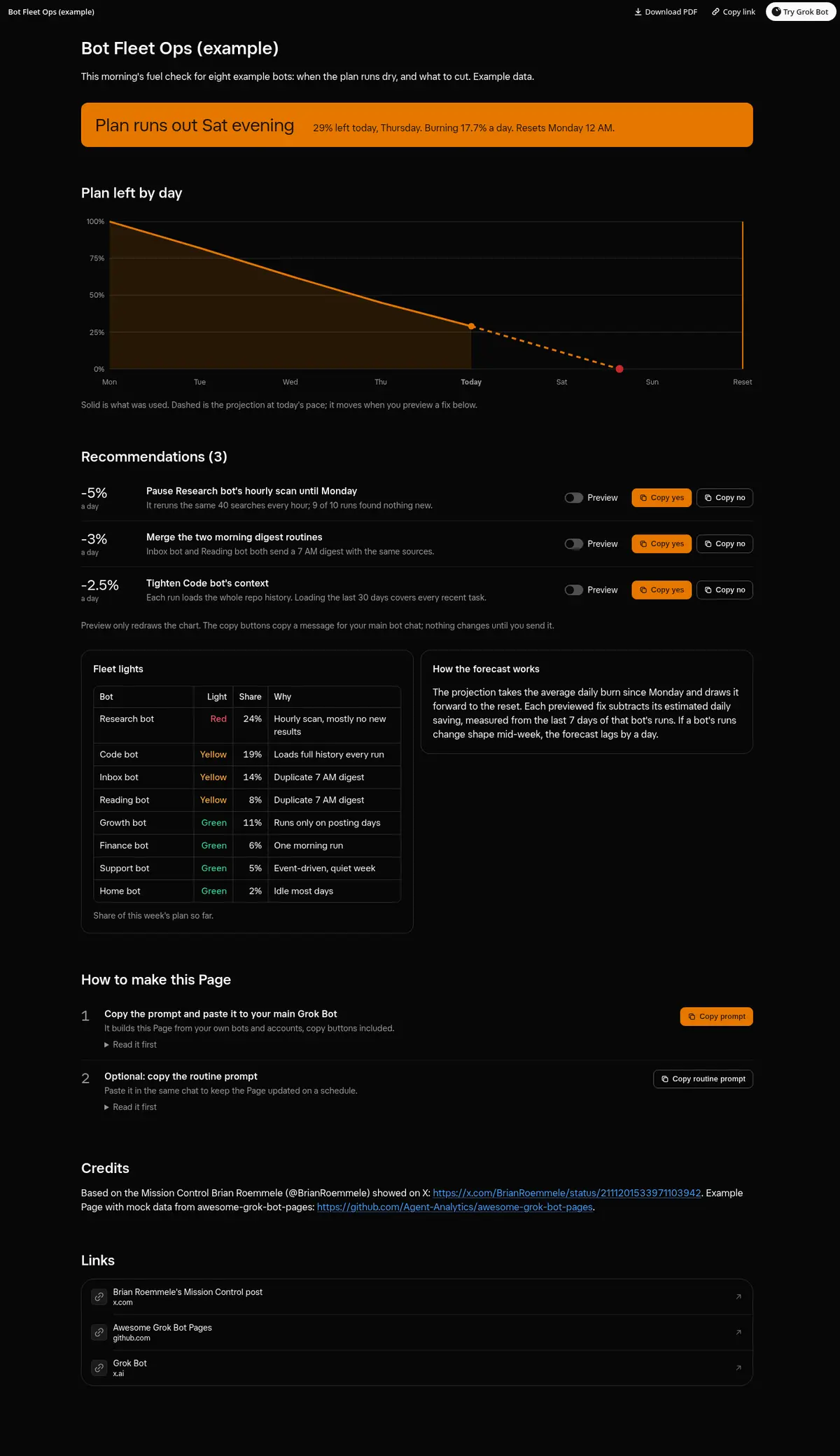
A morning fuel check for the bot fleet: a burn-down of the weekly plan with a projection to the reset, three fixes with Preview switches that move the projection and copy buttons to approve them, and a red, yellow or green light per bot.
Prompt
Prompt
Build me a wide Grok Bot Page called "Bot Fleet Ops" that tells me each morning whether my bots will run out of plan before it resets. Read my plan usage summary and every bot's routines and recent runs. Lead with a burn-down chart of plan left by day, the actual line up to now and a dashed projection to the reset, and say plainly on which day it runs out. Then list your recommendations (pause, merge or tighten something), each with what it saves per day, a "Preview" switch that redraws the projection as if I did it, and working copy buttons (Copy yes and Copy no) that copy a message I paste into this chat, showing Copied after a click; if the clipboard is blocked, show the text to select. Below, a fleet table with a red, yellow or green light per bot, its share of the week and one line on why. Use only real data, show "unknown" instead of guessing, and say the switches only change the view.
Routine prompt (optional)
Keeps the Page updated
Create a routine that refreshes my "Bot Fleet Ops" Page every morning at 7 AM. Each run, read my plan usage summary and every bot's recent runs, redraw the burn-down and projection, rebuild the recommendations with their copy buttons and the fleet lights, and keep the layout. Message me only if the projection says the plan runs out before it resets.
How to use it
- Copy the prompt and paste it into a chat with Grok Bot.
- Swap in your own bots, accounts or data sources where the prompt asks for them.
- If the prompt does not create a refresh routine, ask Grok Bot for one.
- To share your version, make a copy with mock data and make that copy public. Then get it listed.