Bot ManagementExample data
Weekly Usage Audit
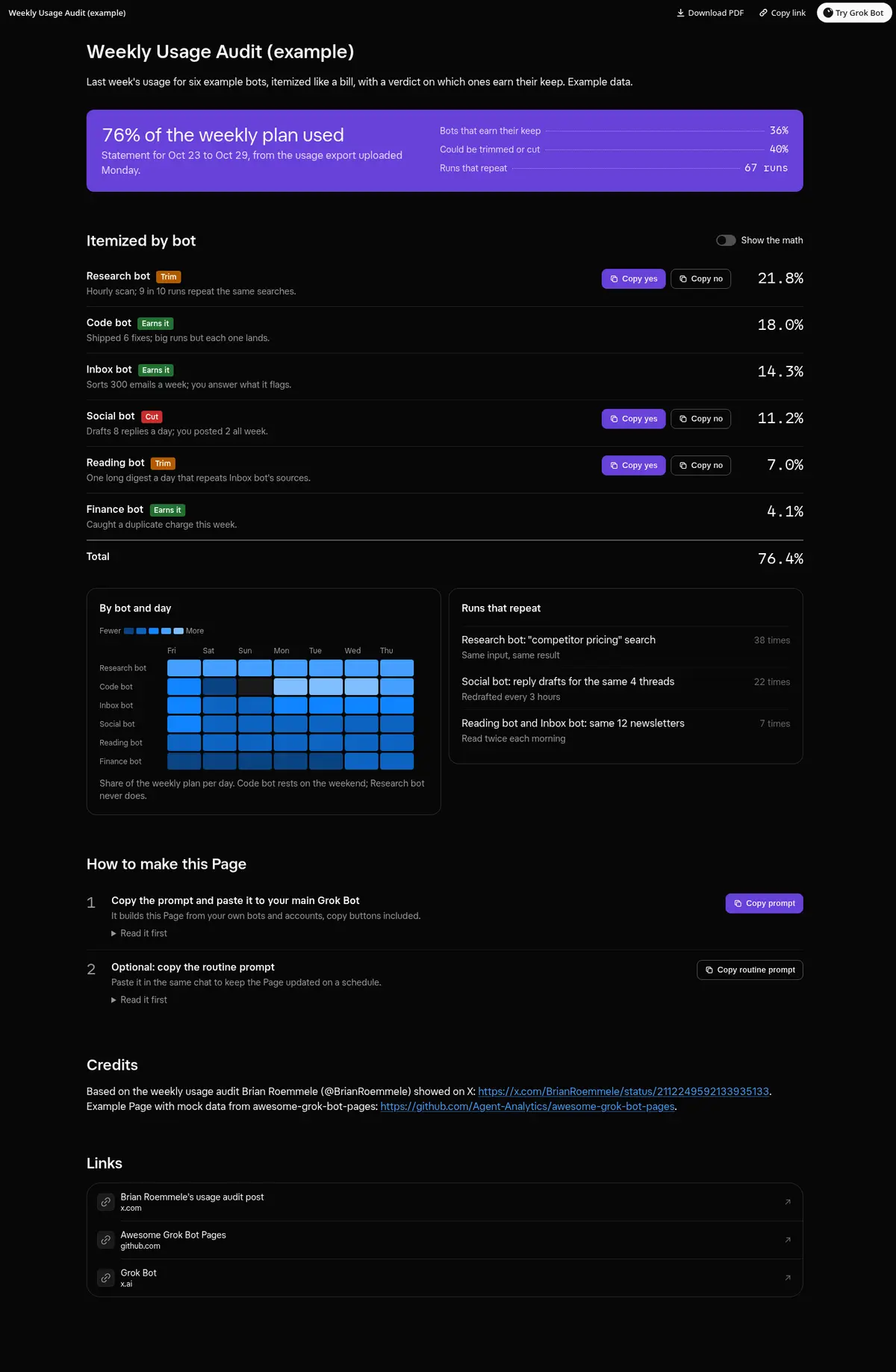
Last week's usage itemized like a bill: each bot's share with a verdict (earns it, trim or cut), copy buttons for the trims, a Show the math switch, a bot by day heatmap and the runs that repeat.
Prompt
Prompt
Build me a wide Grok Bot Page called "Weekly Usage Audit" from the usage export I upload here, laid out like a utility bill. On top, the statement period and the share of my weekly plan used. Then one line per bot, biggest first: runs, average run size and share of the week, with a "Show the math" switch that reveals how each share was worked out, and a verdict on whether the bot earns its keep. Every line with a Cut or Trim verdict gets working copy buttons (Copy yes and Copy no) that copy a message I paste into this chat, and shows Copied after a click; if the clipboard is blocked, show the text to select. Add a heatmap of usage by bot and day, and a list of runs that repeat with the same input. Use only the export and my bots' routines, show "unknown" instead of guessing, and change nothing until I send the message.
Routine prompt (optional)
Keeps the Page updated
Create a routine that every Monday at 9 AM asks me for last week's usage export, then rebuilds my "Weekly Usage Audit" Page from it with the same layout, verdicts and copy buttons. Message me only if one bot used more than a quarter of the week.
How to use it
- Copy the prompt and paste it into a chat with Grok Bot.
- Swap in your own bots, accounts or data sources where the prompt asks for them.
- If the prompt does not create a refresh routine, ask Grok Bot for one.
- To share your version, make a copy with mock data and make that copy public. Then get it listed.