Documents and FilesExample data
Expense policy
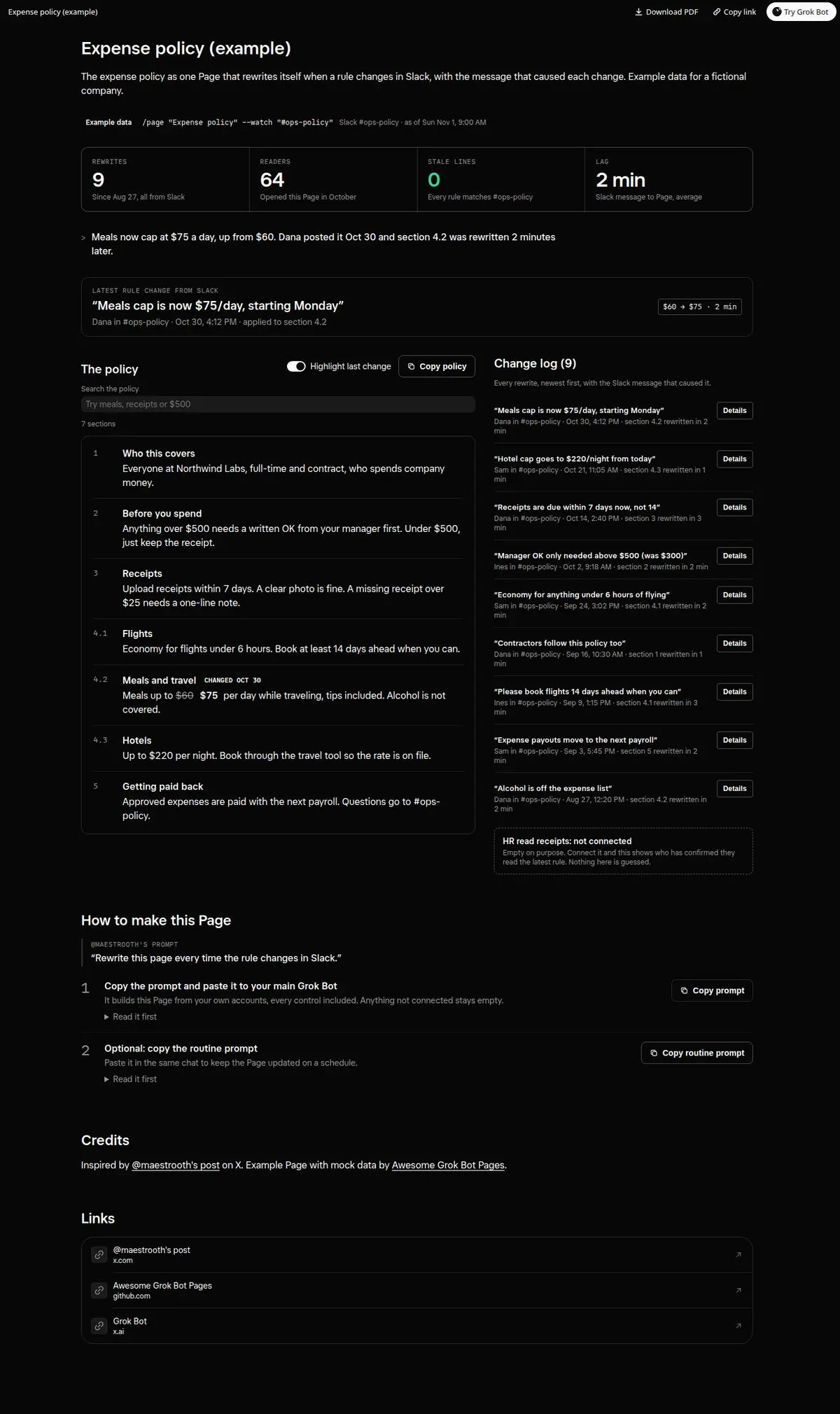
An expense policy Page that rewrites itself when a rule changes in Slack, with the message behind every change.
Prompt
Prompt
Build me a wide Grok Bot Page called "Expense policy" that holds our current expense policy as numbered sections, written in plain words. Watch the #ops-policy channel in Slack. When a message there changes a rule, rewrite only the section it touches, and show the message that caused it: who posted it, when, and the exact words. At the top, four numbers: rewrites so far, readers this month, stale lines (rules on the Page that no longer match Slack) and the average minutes from Slack message to Page update. Add a search box that filters the sections, a Highlight last change toggle that shows the old value struck through next to the new one, a Copy policy button, and a change log with a Details toggle on every entry showing before and after. Every control must really work on the Page; no buttons that do nothing. Anything not connected shows as empty instead of a guess, and never invent a rule nobody posted. Then create a routine that updates the Page whenever a new message in #ops-policy changes a rule, plus a daily check at 9:00 AM for anything missed.
How to use it
- Copy the prompt and paste it into a chat with Grok Bot.
- Swap in your own bots, accounts or data sources where the prompt asks for them.
- If the prompt does not create a refresh routine, ask Grok Bot for one.
- To share your version, make a copy with mock data and make that copy public. Then get it listed.