Documents and FilesExample data
Board memo, October
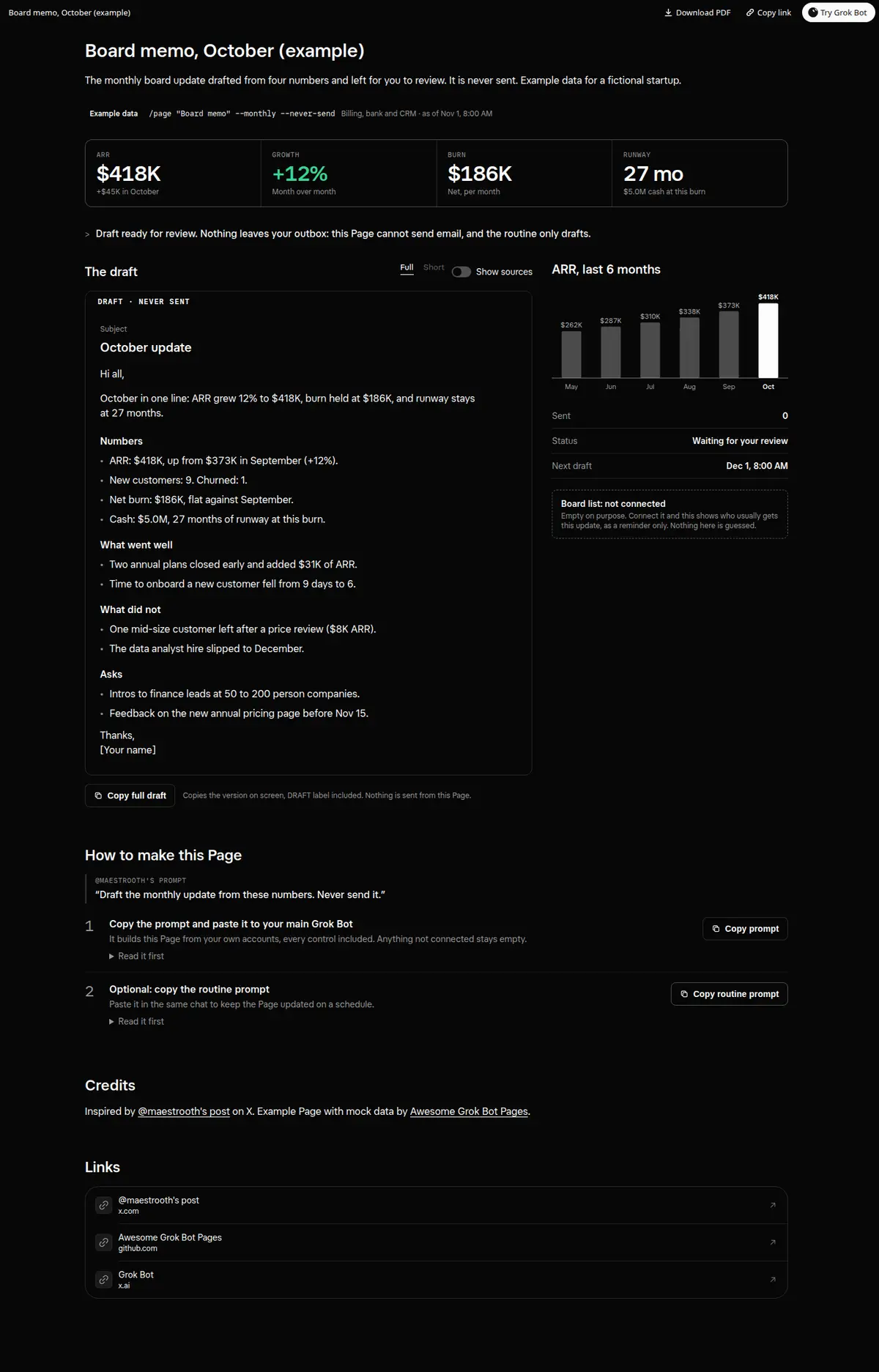
The monthly board update drafted from ARR, growth, burn and runway, marked as a draft and never sent.
Prompt
Prompt
Build me a wide Grok Bot Page called "Board memo" for last month, from my billing, bank or accounting, and CRM. At the top, four numbers: ARR, month-over-month growth, net burn and runway in months, then a 6-month ARR chart. Then draft the monthly board update from those numbers only: a one-line summary, Numbers, What went well, What did not, and Asks. Mark it clearly as DRAFT, NEVER SENT. Add a Full or Short switch, a Show sources toggle that tags every number with where it came from, and a working Copy draft button that copies the version on screen. Never send, schedule or share the memo; I copy it myself. Every control must really work on the Page; no buttons that do nothing. Anything not connected shows as empty instead of a guess, and a number you cannot source stays out of the memo. Then create a routine that redrafts the Page on the 1st of every month at 8:00 AM.
How to use it
- Copy the prompt and paste it into a chat with Grok Bot.
- Swap in your own bots, accounts or data sources where the prompt asks for them.
- If the prompt does not create a refresh routine, ask Grok Bot for one.
- To share your version, make a copy with mock data and make that copy public. Then get it listed.