DesignExample data
Grok Widgets
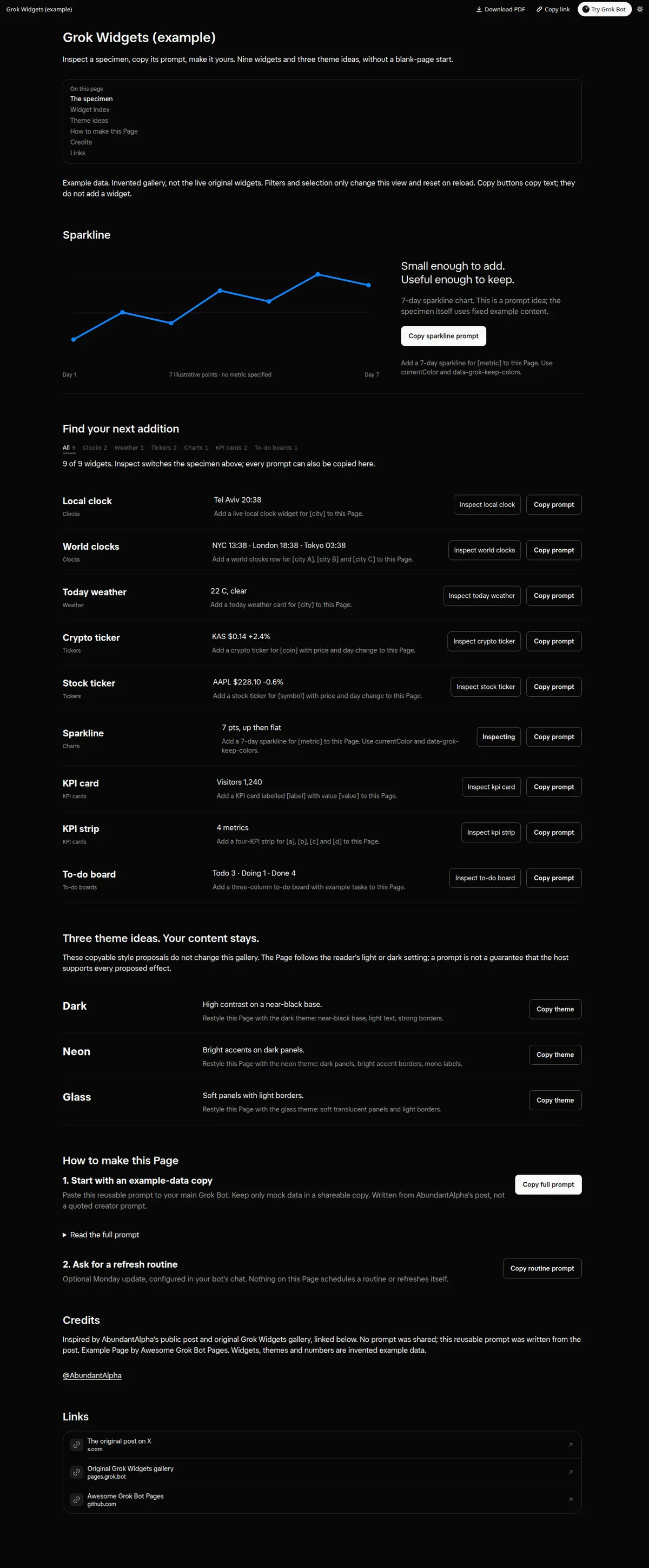
A free gallery of drop-in Page widgets (clocks, weather, crypto and stock tickers, charts, KPI cards, to-do boards) plus dark, neon and glass themes, each with a Copy prompt to add that widget to your Page in one sentence.
Prompt
Paste into Grok Bot
Make me a Grok Bot Page called "Grok Widgets": a free gallery of drop-in Page widgets and themes. At the top: how many widgets, how many themes, and a one-line tip that each widget has a Copy prompt. Then filter pills by kind (clocks, weather, tickers, charts, KPI cards, to-do boards) and by theme (dark, neon, glass). For each widget: a short preview with example data, a one-sentence add prompt, and a Copy button so I can paste it into any Page. Include three themes as cards with a Copy theme prompt each. Use only example data. End with Links to the original gallery if I have one.
Routine prompt (optional)
Keeps the Page updated
Create a routine for my "Grok Widgets" Page: every Monday at 10:00, add any new widget or theme I describe, keep the filters and Copy buttons, and leave the rest of the layout the same.
How to use it
- Copy the prompt and paste it into a chat with Grok Bot.
- Swap in your own bots, accounts or data sources where the prompt asks for them.
- If the prompt does not create a refresh routine, ask Grok Bot for one.
- To share your version, make a copy with mock data and make that copy public. Then get it listed.