ResearchExample data
Competitor watch
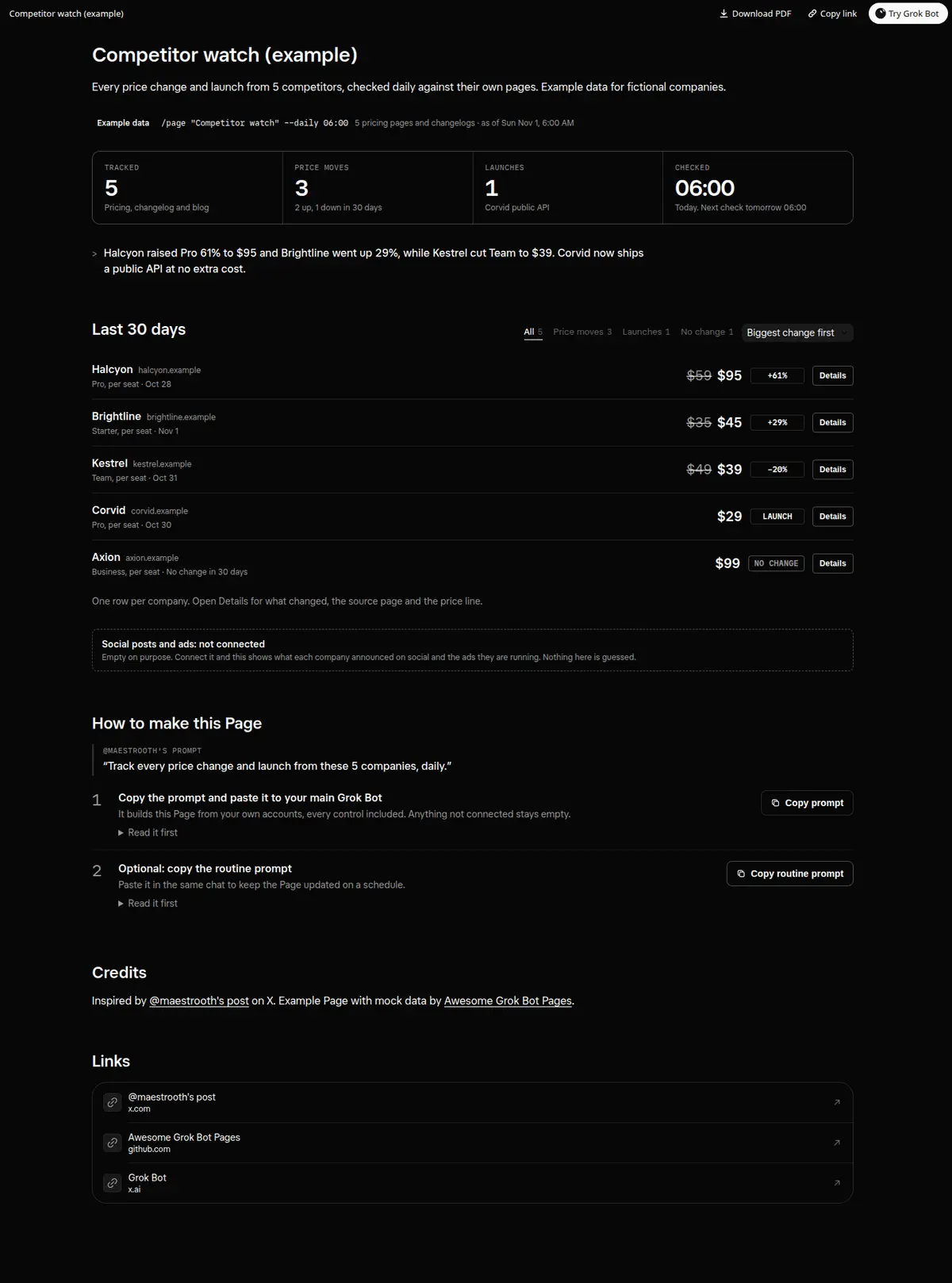
Every price change and launch from 5 competitors, checked daily against their own pages.
Prompt
Prompt
Build me a wide Grok Bot Page called "Competitor watch" that tracks these 5 companies: [list them with their websites]. Check each one's pricing page, changelog and blog every day. At the top, four numbers: companies tracked, price moves, launches and the time of the last check, then one line saying what matters most. Then one row per company with the plan I care about, its price before and after, the change in percent, and a Details toggle with what changed in plain words, the exact source page, and a 30-day price line. Add a filter for All, Price moves, Launches and No change with counts, and a sort for Biggest change, Newest and A to Z. Only report a change you saw on the company's own page, and link to it. Every control must really work on the Page; no buttons that do nothing. Anything not connected shows as empty instead of a guess. Then create a routine that rechecks all 5 every day at 6:00 AM.
How to use it
- Copy the prompt and paste it into a chat with Grok Bot.
- Swap in your own bots, accounts or data sources where the prompt asks for them.
- If the prompt does not create a refresh routine, ask Grok Bot for one.
- To share your version, make a copy with mock data and make that copy public. Then get it listed.