Agent OrchestrationExample data
Bot Crew Office
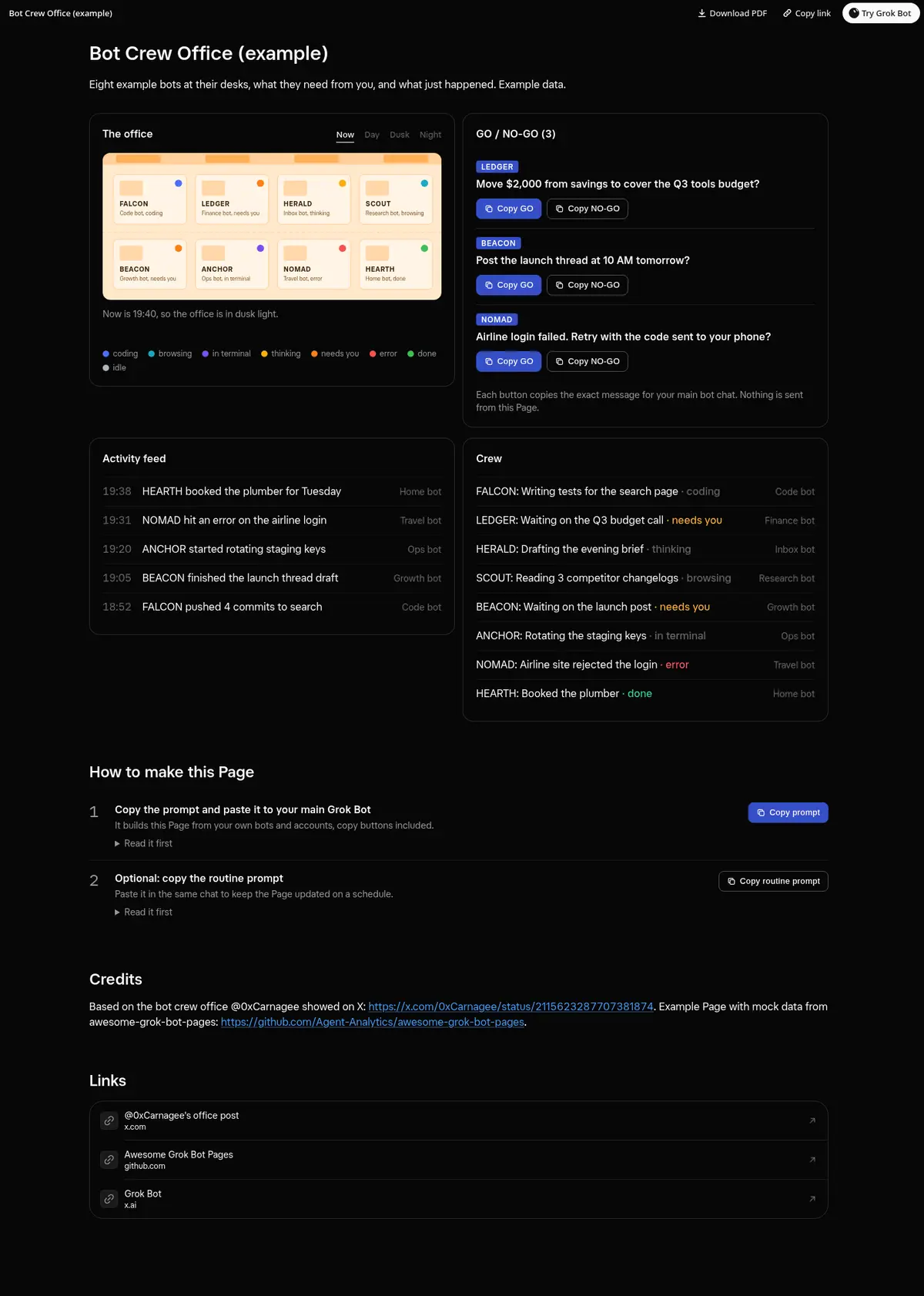
An office floor of your bot crew: every bot at a desk with a callsign and a state dot, a GO / NO-GO list with Copy GO and Copy NO-GO buttons, an activity feed, a crew list and Now, Day, Dusk and Night lighting.
Prompt
Prompt
Build me a wide Grok Bot Page called "Bot Crew Office" that shows my bots as a crew in an office. Give each bot a short callsign and draw it as a desk on an office floor plan, with a colored dot for its state: coding, browsing, in terminal, thinking, needs you, error, done or idle, and a legend. Add a Now, Day, Dusk and Night switch that changes the office lighting. Next to the office, a GO / NO-GO list of everything a bot is waiting on me for: the callsign, the question in one line, and working Copy GO and Copy NO-GO buttons that copy the exact message I paste into this chat, showing Copied after a click; if the clipboard is blocked, show the text to select. Add an activity feed of the latest events and a crew list with what each bot is doing now. Use only real data from my bots, routines and recent runs, and say nothing is sent from the Page.
Routine prompt (optional)
Keeps the Page updated
Create a routine that refreshes my "Bot Crew Office" Page every hour from 8 AM to 8 PM. Each run, ask every bot for its state and what it waits on me for, redraw the office and the GO / NO-GO list with the same layout and copy buttons, and drop questions I already answered. Message me only when a bot hits an error.
How to use it
- Copy the prompt and paste it into a chat with Grok Bot.
- Swap in your own bots, accounts or data sources where the prompt asks for them.
- If the prompt does not create a refresh routine, ask Grok Bot for one.
- To share your version, make a copy with mock data and make that copy public. Then get it listed.